
Wondering how to make the most of LinkedIn?
Your first and most important step is to optimise your LinkedIn personal profile. Spending the time on making sure each section of your profile showcases your skills and experience to everyone that views it is one of the key drivers of building a strategic network and starting conversations on LinkedIn.
Not sure where to start? Let’s dive in to some important sections…
First, let’s talk about optimising your LinkedIn profile image….
Arguably one of the most important things to get right on LinkedIn! I research profiles all the time on and frequently see people making these mistakes…
1. Profile image settings set to private, which means I only see a grey shaded image and not the photo of the person.
and
2. Profile images that show people unprofessionally – drinks in hand, beach shots, cropped night out images – you name it I’ve seen them all!
Let’s take each of these in turn.
I recommend making sure your profile photo visibility settings make it visible to ALL LinkedIn users. Keeping it set to private or for your network only doesn’t build trust when new people visit your profile. How does your profile visitor actually know what you look like?
Imagine meeting someone at a conference or event and exchanging contact details. That person then goes home with various business cards, and then looks you up on LinkedIn. By visiting your profile what do they find? No photograph to remind them of who they met. They might not be sure you are the person they talked to and might easily skip past your profile! A network opportunity lost.
Another big mistake I see on LinkedIn profiles consistently is the use of unprofessional profile images. The profile image absolutely must showcase you in the best possible professional way.
I recommend using a profile image that –
- Clearly shows your head and shoulders, with you looking into the camera
- Isn’t a cropped image from a holiday photo or a bikini/beach shot. Save those for Facebook!
- Only has you in the image
- Shows you in a friendly and approachable way. I recommend smiling to camera for that..
Finally, make sure the image is recent. As I mentioned earlier I’ve worked with clients who look completely different from their LinkedIn profile photo. Believe me when I say it’s a little disconcerting to turn up on a zoom call with someone who looks completely different to what you were expecting!
If your hairstyle has radically changed in length or colour, or the picture is more than a few years old, it’s time to update it! Future employers or network contacts want to see the real you, and it also comes back to that all important element of building trust and authenticity by showing the real (and up to date) you.
How To Optimise Your LinkedIn Headline
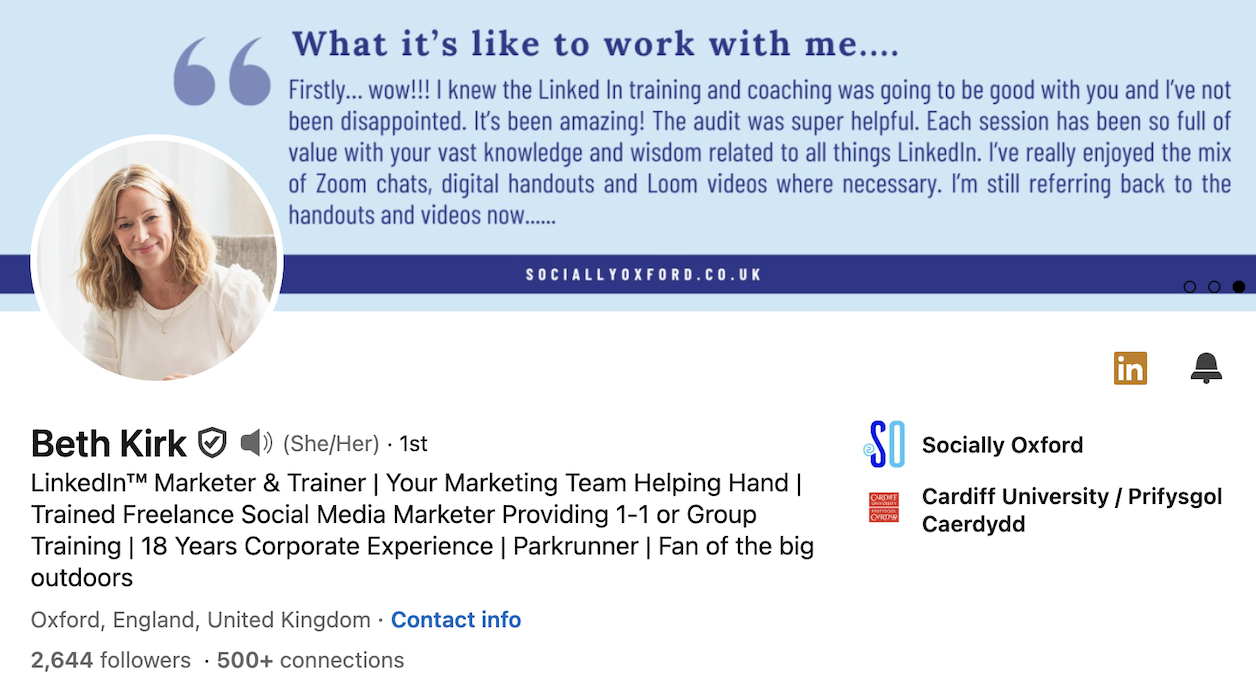
Your headline is the text that sits underneath your name and is an important field on LinkedIn for several reasons. Firstly, it sits in the top half of your profile and is clearly visible immediately to any profile visitor who is looking at your profile. So the information it holds about you must be up to date and showcase you professionally.
The headline is also a searchable field on LinkedIn, so it’s important to think about your keyword research here. Ask yourself what skills you want to be found for on LinkedIn, or if you are a business owner, what your service does to support clients and customers. Make sure these are included in your headline.
Your LinkedIn headline also follows you around on the platform. Every time you comment on a post on LinkedIn your profile image and headline shows up to others who are also commenting or reading the post. So what you write here should position you professionally in the best possible way.
Here you can see that my headline says several things about me and what I do…
How To Optimise Your LinkedIn URL
Now lets take a look at your LinkedIn URL. When your profile is created you are automatically given a URL code by LinkedIn, which is a link which sends people directly to your profile. This highly useful link can be shared with job applications, prospective clients, or used in your email signature.
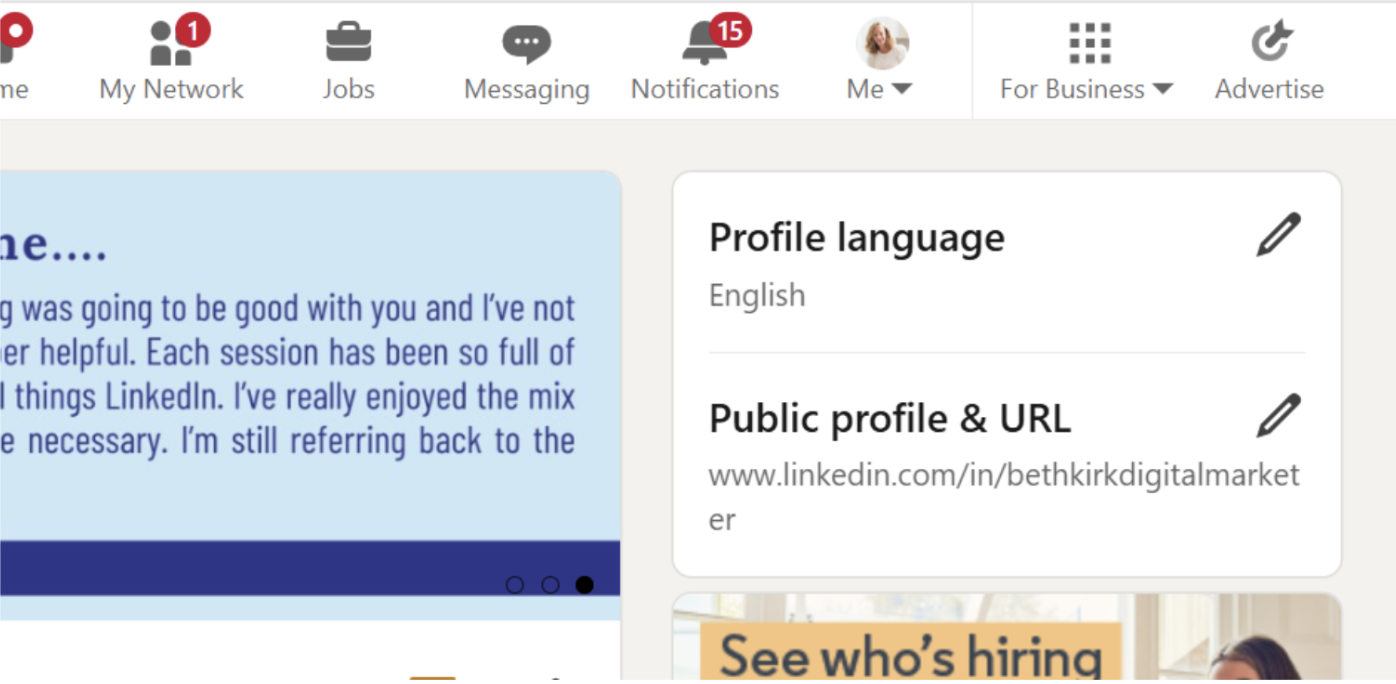
The code will automatically contain a string of numbers after your name, but you can edit it. To optimise the link and make it appear more trustworthy, head to your profile on LinkedIn and then over to the right hand side to the Public profile & URL area. To edit it, tap on the pencil on the far right as you see illustrated below.
Now you can remove the numbers and add other words if you like, for example, as illustrated here, mine says bethkirkdigitalmarketer.
What To Include In Your LinkedIn About Section
Your About section is crucially important for several reasons. It’s where your profile readers can find out much more about you. You can add up to 3000 characters about yourself in this section, although I don’t recommend you use all of these!
I do however recommend you include some or all of the following –
- Tell a story about your career
- Frame your past career
- Talk about your key skills, achievements or professional superpowers
- Mention key career milestones or proud moments
- Let people know who you’d like to connect with on LinkedIn and why
- Let people know how they can communicate with you (reference a website or email address for example)
I recommend writing this section and sharing it with someone else who knows you well professionally. Ask them if they think it reflects your professional skills and knowledge?
Finally, you can add 5 Skills to your About section, so do take the opportunity to add these too.
Adding Skills To Your LinkedIn Profile
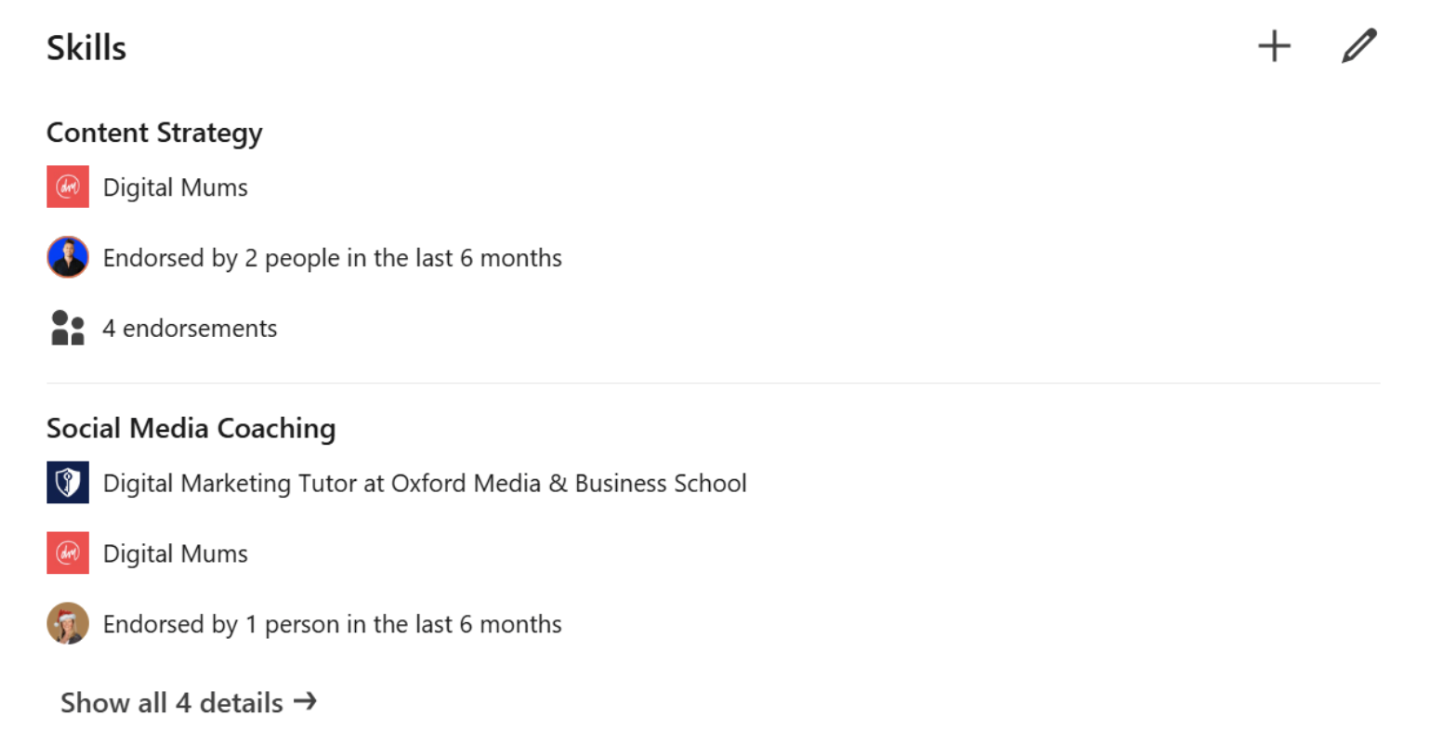
This is often another missed section of LinkedIn personal profiles. I recommend you take the opportunity to add as many as you can to illustrate your professional skillset to people visiting your profile. LinkedIn allows you to add up to 100, which is a lot, but I would expect most professionals to be able to add a minimum of 15-20 skills even with limited professional experience.
To add Skills, simply go to the + button on the far right of the section, type in the name of the skill and see what options LinkedIn allows you to add.
Completing Your Employment and Education Sections
Finally, don’t forget to spend time optimising these important sections of your profile. It’s important here not to just list your job roles like you would on a CV. Instead, think about illustrating your key achievements and successes in each position you have held, or mention specific accomplishments in a role. For example, you may have executed a particularly successful campaign if you are a marketer, or been responsible for leading a team of people to achieve a key business goal in a sales role.
In your Education, make sure you detail anything extra-curricular, such as sporting achievements, musical or theatre participation or being part of clubs and groups. It all counts towards the person you are, and shows your profile visitors the commitment you have shown to your hobbies and interests.
Your LinkedIn profile has over 30 sections in total. You do not need to optimise everything, but I hope this blog has given you some guidance on how to do some of the key sections. If you’d like to understand how to optimise your profile, grow your network and attract the audience you want to visit it, do reach out to me to book one of my LinkedIn Visibility sessions. Find out more here, and of course I’d love you to connect with me on LinkedIn here.
